
Rose Orbit
A soft pink portrait layout with calm contrast and a glassy workspace.
Skins · Pets · Build badges
Start free in the browser, then buy only the shortcut you actually need: a $1.99 skin guide, $4.99 pet playbook, $9.99 recipe pack or $49 custom skin.
$0to build first
$1.99first paid shortcut
0private image uploads
Paid shortcut
The $9.99 starter pack turns the free studio into a paid learning path: three data-only recipes, a skin guide, a pet checklist and the trust-boundary notes buyers need before sharing.
 ONE PERSONAL STORY / NINE TASK STATES
The personal-photo challenge
Skip the catalog detour. Choose one photo you control, prepare a private Codex brief and come back with the finished package for nine-state review.
Dream Skin gallery
Open any full-size image to inspect its small details, or use Remix to carry the concept settings into the studio. Home, Task and Diff previews keep the result usable.
A soft pink portrait layout with calm contrast and a glassy workspace.

A playful crimson skin built around a bold good-fortune motif.

A clean coral science-fiction scene that keeps code and tasks legible.

An airy portrait treatment with quiet surfaces and low visual noise.
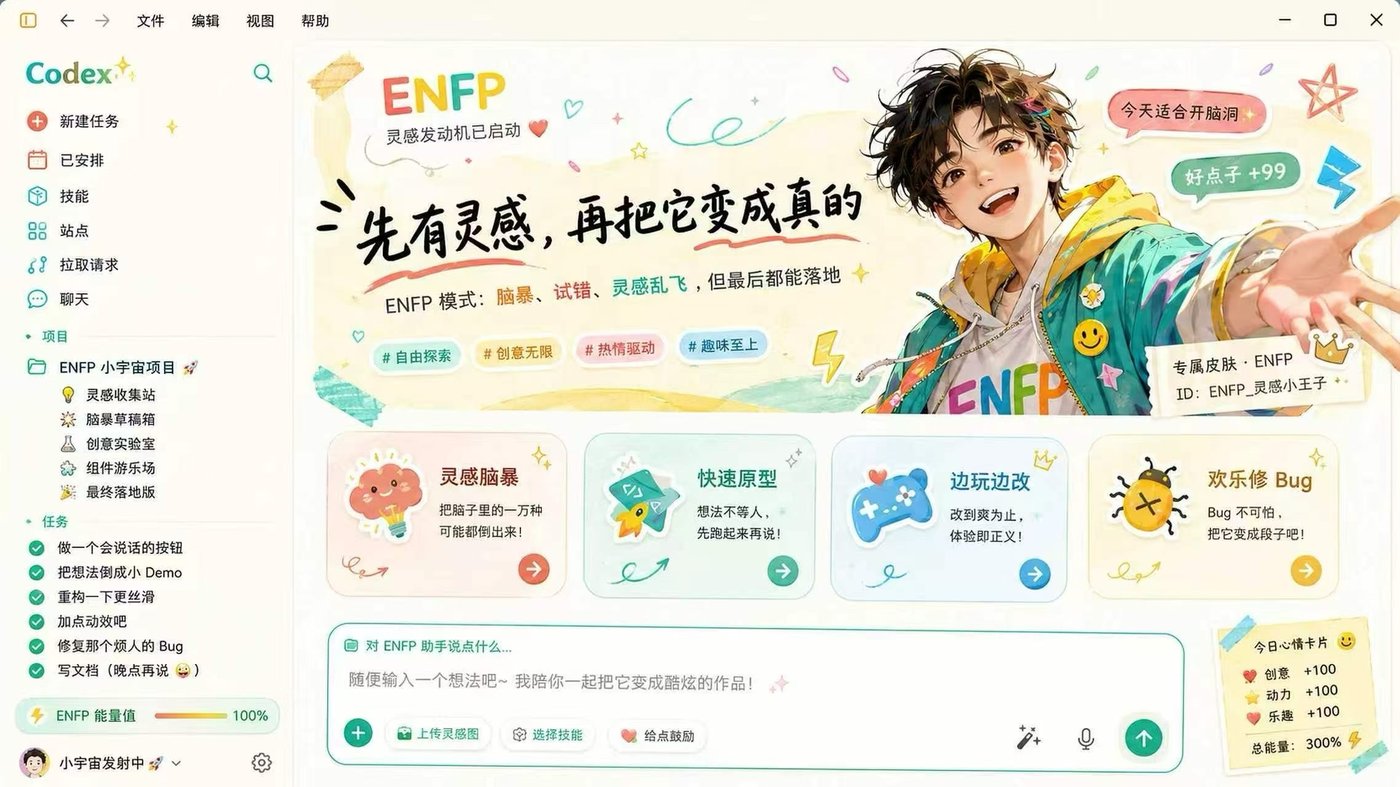
A bright illustrated workspace for high-energy creative sessions.

A dark purple portrait skin with luminous controls and focused panels.
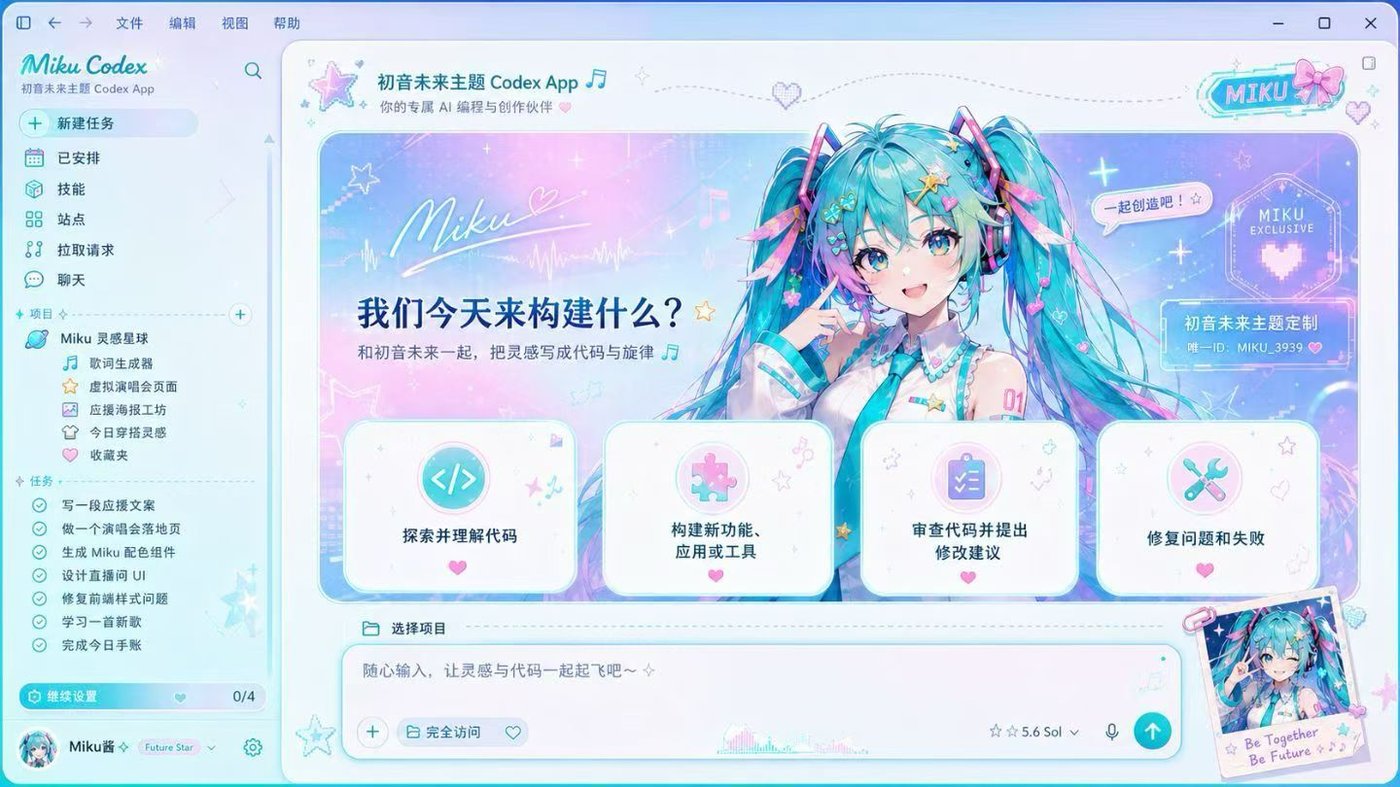
A cyan-tinted character concept with crisp dark-mode readability.

A black-and-gold stage concept that turns the workspace into a poster.

A dramatic black-and-gold fan concept with a poster-like Codex workspace.

A satirical propaganda-poster treatment with a strong red navigation rail.

A soft pink companion concept with a clear task rail and spacious composer.
A playful strawberry portrait concept built around warmth and comic contrast.
Fan-made portraits, political satire, characters and recognizable IP are composition inspiration only. They are not included in paid downloads and are not licensed for resale. Publish or sell only artwork you own or are licensed to use.
A wider product loop
Skins, pets and skills can all spread, but they do not belong in one permission bucket. Keeping those boundaries visible is the product.
Images, crop, dimming, panel opacity and color tokens create the first surprising moment.
Data only. A skin never carries scripts or provider settings.Build a skinTurn your own dog, cat or original character into nine readable Codex states, then validate the atlas locally.
Image or sprite data. A pet changes appearance, not task behavior.Open the pet studioSkills can teach a repeatable workflow and create durable value beyond decoration.
Review separately. Skills can affect behavior and must never hide inside a theme.Open Codex SkillsBuild Bug · local progression
Contrast pass, native export and recipe export unlock separate badges. No prompt-count vanity score, no fake professional rank.
Private atlas QA + official link
Choose the matching atlas version, validate dimensions, format and transparency locally, then preview each standard action from the real sprite sheet.
Open the complete pet makerChoose a local atlas to run browser-only checks.
How Dream Skin really works
The website mirrors the upstream sequence instead of pretending a ZIP can install itself.
Use a wide, rights-cleared image and keep high-detail subjects away from the reading column.
Preview Home, Task and Diff while adjusting position, dim, blur, panel opacity and readable colors.
Build a six-file, data-only archive with hashes. It is an unsigned local recipe—not an executable installer.
Use the upstream platform entry, test native controls and practice the documented restore path.
Install and restore
Choose the least-powerful path that meets your goal. Native appearance, macOS enhanced backgrounds and Windows scripts have different capabilities.
Use Codex Settings for base theme, accent, background, foreground and fonts. Background images are not part of this mode.
The upstream macOS flow validates the official app, installs to a stable user path and supports Finder-based image customization.
The upstream Windows flow supports install, start, screenshot verification and restore. User-image customization is not yet at macOS parity.
One price list
The free tools stay free. The paid choices now say who they are for, what unlocks and what happens after checkout.
For personal experiments with artwork you own or are licensed to use.
Best forTesting one rights-cleared image before paying.
You getBrowser studio, private pet brief, validators and data-only export.
FulfillmentInstant in-browser tools. No account and no upload required.
A concise bilingual path from artwork rights to readable export and recovery.
Best forYou made one skin and want the shortest safe install checklist.
You getBilingual ZIP with rights, readability, native theme and restore checklists.
FulfillmentStripe unlocks the ZIP after payment.
A nine-state production and launch kit for a personal or rights-cleared Codex pet.
Best forTurning one owned photo or mascot into a nine-state Codex pet.
You getStoryboard, atlas QA map, rights checklist and launch captions.
FulfillmentStripe unlocks the ZIP after payment.
Three data-only compositions plus practical skin, pet and trust-boundary guides.
Best forYou want three recipe patterns plus the skin and pet guides together.
You getThree JSON recipes, bilingual guides and boundary checklists.
FulfillmentStripe unlocks the ZIP after payment. Artwork is not included.
One polished skin using source artwork you are authorized to provide.
Best forYou have source artwork and want one polished result without tuning.
You getTwo color variants, Home/Task/Diff previews, one focused revision and restore guidance.
FulfillmentCheckout starts the order; then email the authorized image and brief.
For brand systems, multiple platforms and managed rollout requirements.
Best forBrand, team or rollout work where usage rights and platform scope matter.
You getWritten scope for palette, assets, rollout, rollback and commercial terms.
FulfillmentEmail first. No payment before scope is agreed.
Paid ZIPs contain tutorial text and declarative settings only—no celebrity images, executable code, arbitrary CSS, API keys or provider configuration.
CodexSkin does not sell artificial theme scarcity. A signed helper, cloud sync or marketplace will be offered only after code signing, recovery testing, rights review, refunds and tax handling are ready.
Privacy by construction
Upload, decode, palette extraction, preview, WebP encoding, pet validation and badge state happen in your browser. We do not read Codex conversations, projects, API keys or model settings.
Read the safety modelCommon questions
No. The current studio and pet validator work locally. A pet install deep link uses an HTTPS image URL that you provide; CodexSkin does not host or fetch that image.
No. It is an unsigned, ZIP-compatible review artifact. The upstream Dream Skin engine has its own platform install, customization, verification and restore entries.
No. Build Bug progression is a local CodexSkin feedback loop tied to successful studio milestones. Its certificate is self-verified and is not an OpenAI, employer or educational credential.
A skill can change how Codex approaches work, while a skin should only change appearance. Combining them would hide a behavioral permission inside a decorative download.
The $1.99 ZIP covers skin setup, the $4.99 playbook covers nine-state pet production and launch, and the $9.99 pack adds three declarative skin recipes. None includes the fan-made portrait concepts shown in the gallery.
Start with one image
Build a readable skin, validate a pet, then export something you can inspect and restore.